
The 3D view#
The structure is drawn with PyVista and VTK. The Display panel contains the settings of the drawing, one section for each kind of object in the view. The sections open folded; a click on a title unfolds it. Objects that can be hidden have a switch at the right of their title, which works with the section folded.
Drawing options#
Atoms: radius, opacity, element labels (size and colour) and a colour for each element. Labels follow the background, black or white, unless a colour is chosen.
Bonds: radius, colour, and the tolerance used to decide which atoms are bonded; hydrogen bonds, drawn as dashed D–H···A interactions, with their own colour and width.
Unit cell: colour and width of the cell edges.
Coordination polyhedra: opacity, minimum coordination and edge width, in the style used by VESTA. A polyhedron is drawn round each centre with 4 to 8 ligands; with Complete coordination at cell boundary on, every corner of one is a drawn atom. Twelve-coordinated sites, such as the A site of a perovskite, are left as spheres.
Thermal ellipsoids and Phonon arrows: available when the output provides them.
Measurements & symmetry: the colours of the objects drawn by the Geometry and Point symmetry panels.
View: background colour, projection (perspective or orthographic), the a/b/c axes and the orientation marker.
Reset to defaults, at the foot of the panel, restores every setting except the background, which follows the light or dark appearance of the program.
Measurements made in the Geometry panel are drawn in the same view.
Orientation#
The VIEW group of the toolbar orients the structure along a lattice vector and restores a view of the whole; the ROTATE group turns it by a fixed step, which makes a given orientation reproducible.
Orthographic projection, selected in the Display panel, is appropriate for figures: a direction parallel to an axis remains parallel to it.
Large structures#
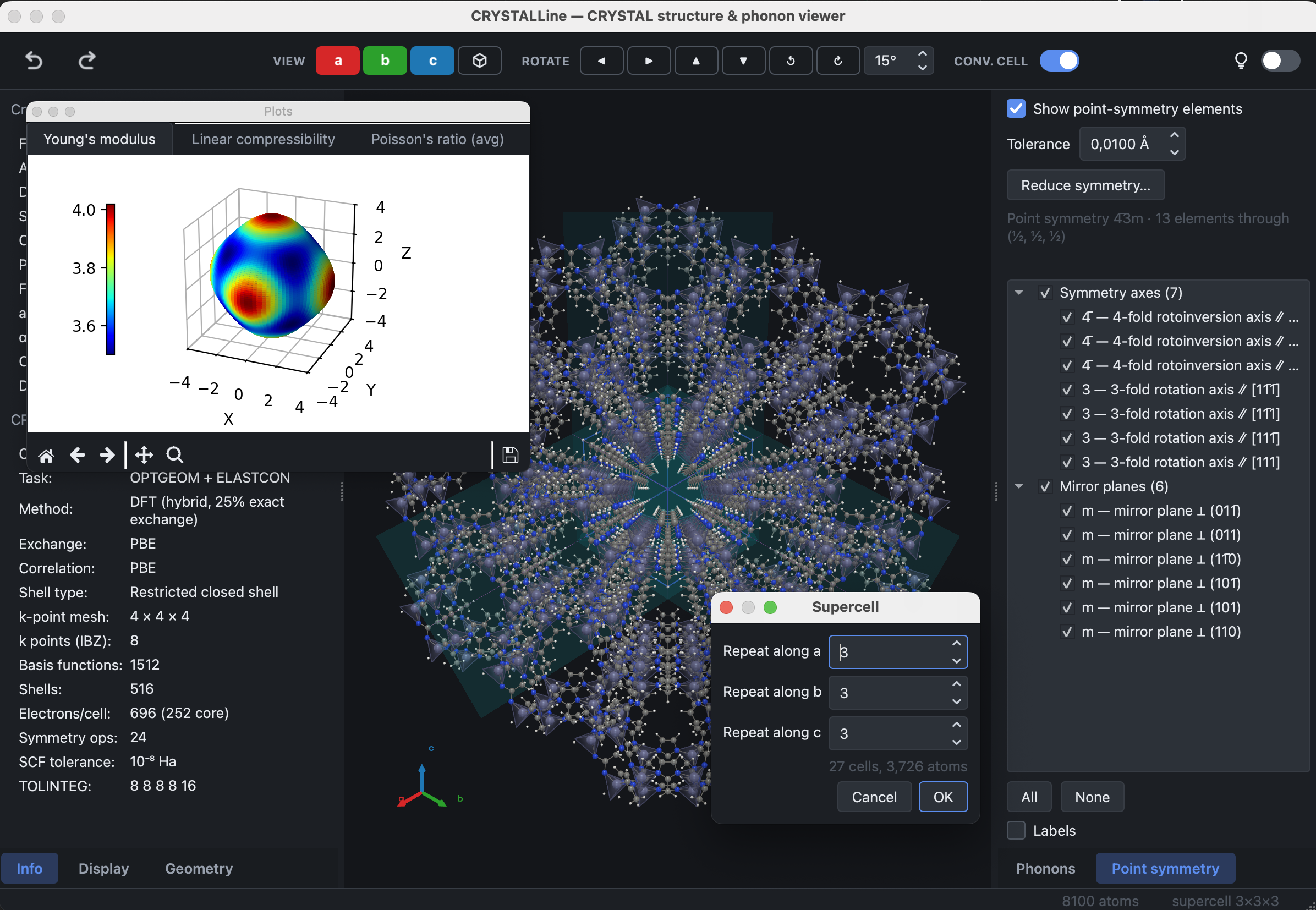
Large cells remain interactive; the geometry is built once and updated in place. The supercell below contains 8,100 atoms with coordination polyhedra drawn.
Saving an image#
File → Export image… writes the current view as PNG, JPEG, TIFF, SVG, PDF or EPS, with a choice of resolution and a transparent background. The Brillouin-zone window uses the same dialog.