
CRYSTAL input builder#
Two decks can be written from the structure on screen:
File → Build CRYSTAL input (.d12)…: the calculation.
File → Build PROPERTIES input (.d3)…: the analysis of the wave function that follows it.
Both show the text of the file as it will be written.
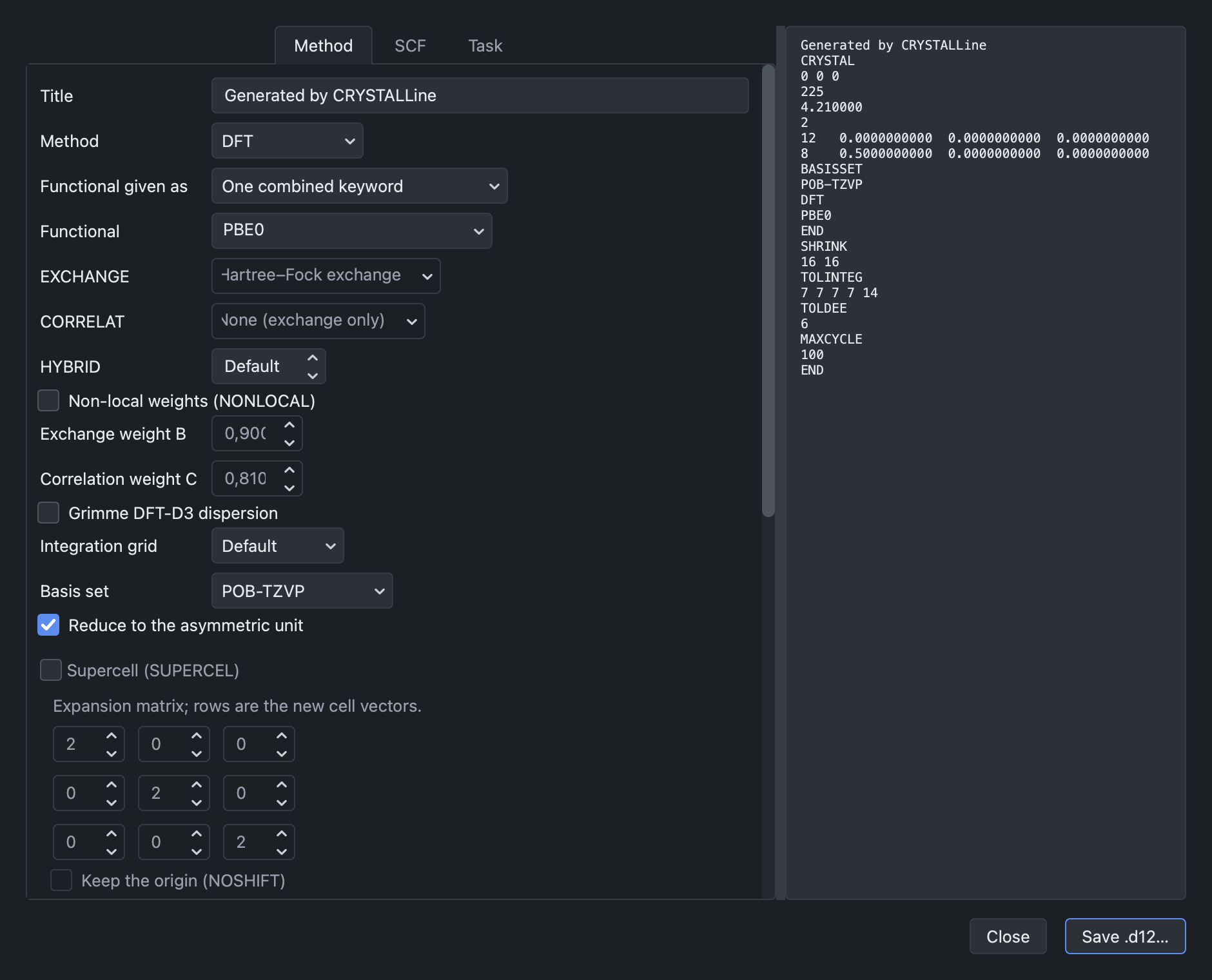
The geometry block#
The geometry is derived from the structure:
Structure |
Keyword |
|---|---|
crystal |
|
slab |
|
polymer |
|
molecule |
|
Only the lattice parameters left free by the group are written (a hexagonal layer group requires a alone) and only the symmetry-inequivalent atoms. When the symmetry cannot be determined, the deck is written in group 1 with all atoms listed.
A crystal can be written in either of the two cells the Info panel offers (Symmetry), chosen with Cell under Reduce to the asymmetric unit; the builder starts on the Info panel’s choice. The line beneath the box says which cell and setting the deck is in.
Cell |
Deck |
|---|---|
As in the file |
the cell drawn in the 3D view, in its own setting: |
Standard setting |
the conventional standard cell: |
The setting is named as the CRYSTAL manual prescribes (geometry input,
IFLAG IFHR IFSO): by its number when the cell is in the standard setting of
the International Tables, and otherwise by its Hermann–Mauguin symbol, a
monoclinic group in full (P 1 1 21/A for the c axis unique), the five groups
renamed with an e glide in 2016 by their older names (C M C A). IFSO
follows the origin choice of the coordinates, since CRYSTAL reads 0 as the
second origin setting and 1 as the first, and IFHR is set for a
rhombohedral group on rhombohedral axes. Before anything is written, the
setting’s operations are applied to the atoms listed and must give back the
crystal on screen. A computed cell that is not a conventional cell of its group
is written in the standard cell instead, and the note says so.
A reduced symmetry, if one has been chosen, is used here.
The calculation#
The method (Hartree–Fock, or DFT with a single keyword or with separate exchange and correlation functionals), the basis set and the SCF parameters are selected in the dialog, together with the type of calculation: single point, geometry optimisation, frequencies with infrared and Raman intensities, phonon dispersion, quasi-harmonic approximation, equation of state, elastic constants, coupled-perturbed Hartree–Fock, anharmonic calculations and spin–orbit coupling.
Phonon band structures belong to this deck (BANDS within FREQCALC) and use
the path editor described in Band paths.
The PROPERTIES deck#
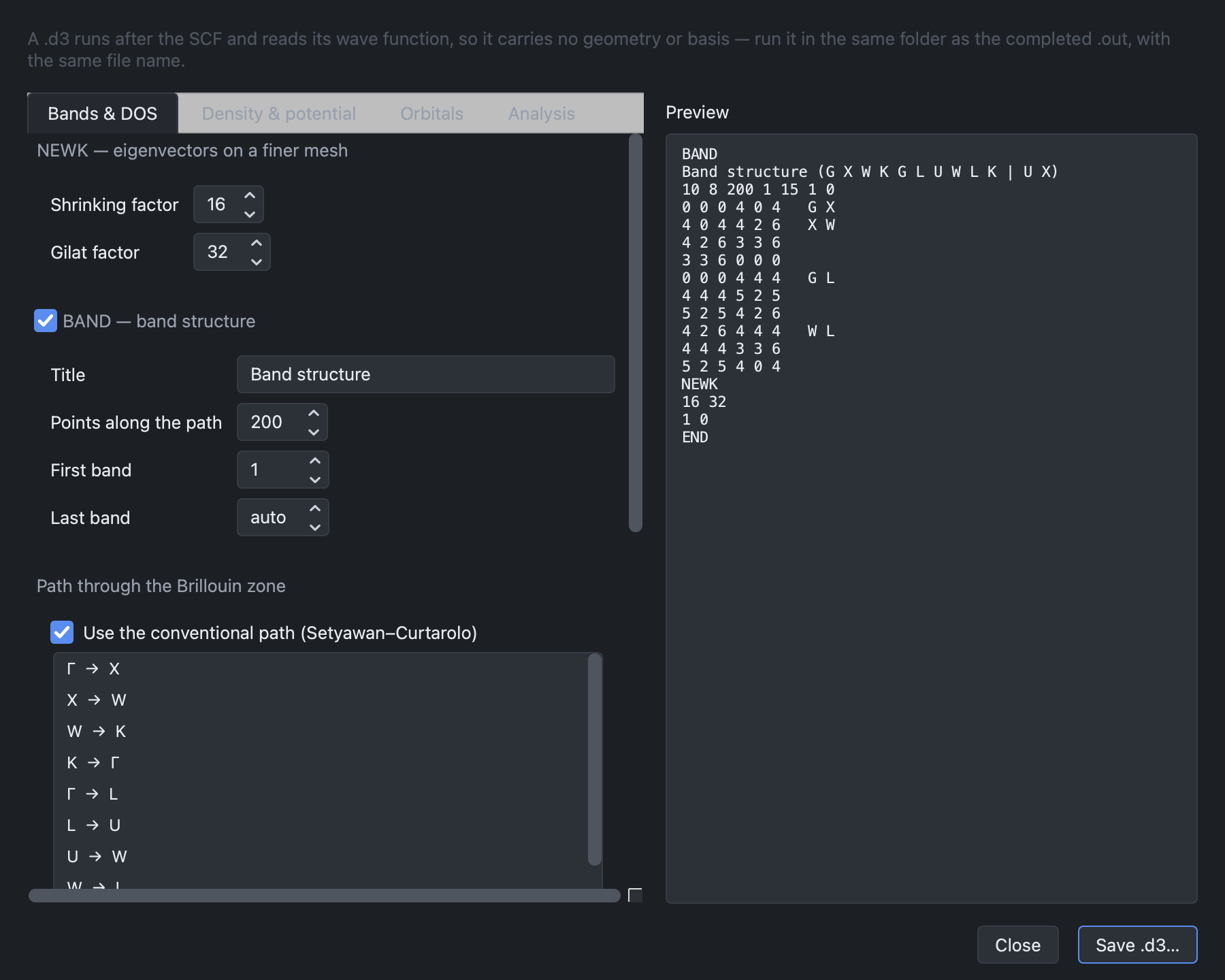
The dialog writes NEWK, BAND, DOSS, COOP and COHP, LOCALI and
ORBITALS, ECH3 and POT3, EMDL, XRDSPEC, PATO and PPAN; further
keywords can be added as free text.
Two points are handled by the program. The keywords are written in the order
required by the manual, BAND – NEWK – DOSS, since NEWK placed before
BAND stops the run. And the band path is written as integers over a shrinking
factor: a factor which would leave a coordinate fractional is refused rather
than rounded, so that the path contains the points intended.
Charge density and electrostatic potential on a grid#
The Density & potential tab writes ECH3, the electron charge density (and
the spin density, for an open-shell wave function), and POT3, the electrostatic
potential, both sampled on a three-dimensional grid (manual §14.8 and §14.14).
Points along a is the number of grid points along the first lattice vector; the points along the other two are spaced to match.
Tolerance (ITOL) is the penetration tolerance of
POT3; 5 is the value the manual suggests.
For a crystal the grid spans the primitive cell, and nothing more is needed. A slab, a polymer or a molecule has directions the cell does not bound, and the manual requires the deck to say how far to sample along each of them. The Grid extent along the open directions group appears for those systems only, and offers the two forms the manual allows:
Scale the atoms’ own extent writes
SCALE: the extent of the atomic coordinates along each open direction, multiplied by the factor given.Explicit range writes
RANGE: the lower and upper bounds, in bohr.
The record is written once for each open direction: one for a slab, two for a
polymer, three for a molecule. It is shared by ECH3 and POT3: to paint the
potential onto the density, or to compare the two, both have to be sampled on
the same grid.
With PATO ticked as well, PATO is written directly before the grids, so
that they hold the density of non-interacting atoms instead of the SCF density;
the reference a deformation density is taken against. PATO replaces the density
matrix for everything written after it, so PSCF follows the grids and restores
the SCF density for EMDL, XRDSPEC, PPAN and any extra keywords.
The run writes the grids to DENS_CUBE.DAT, SPIN_CUBE.DAT and POT_CUBE.DAT
in Gaussian CUBE format, and to fort.31. They can be drawn over the structure
with Plot → Electron density & potential…; see Electron density and
electrostatic potential.
Running the calculation#
The deck is saved and run as usual. CRYSTALLine does not run CRYSTAL; it prepares the input and reads the output.